Library of Formatting Examples:Small Caps/02A
Jump to navigation
Jump to search
| Distributed Proofreaders: Activity Hub · Wiki · Forums · Blog | ||
| << (Small Caps/01A) | Library of Formatting Examples Small Caps |
(Small Caps/16A) >> |
Page Image

Correctly Formatted Text
[blank line]
[blank line]
[blank line]
[blank line]
CHAPTER II
[blank line]
[** We mark Mixed-small-caps]
<sc>Tools and Appliances</sc>
[blank line]
[** We do NOT mark all uppercase headings]
[** or subheadings]
TOOL LISTS AND COSTS--LAYING OUT AND MARKING
OFF THE WORK--SHOP APPLIANCES
[blank line]
[blank line]
[** Remove small caps at the beginning]
[** of a chapter]
In this chapter the names and approximate costs
of the appliances are given and also suggestions
as to fitting up the shop for working with
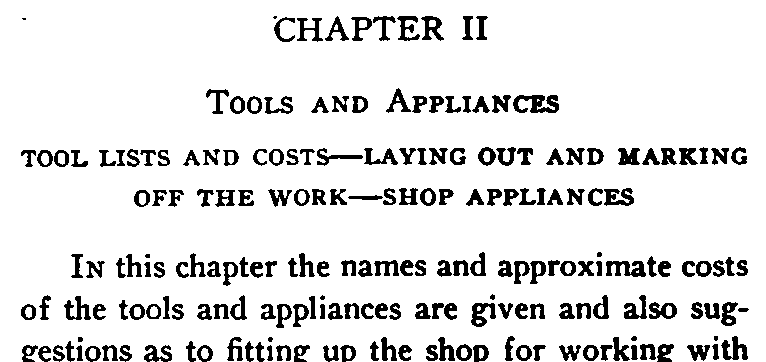
Small caps in chapter headings
This example demonstrates three different types of small caps commonly encountered at the beginning of a chapter.
We always mark mixed-small-caps, where both large and small capitals appear on the same line.
We do not mark all uppercase text in headings, where all the characters are the same height, even when the letters look like all-lowercase small caps.
When the first words in a chapter appear in small caps, we change them to normal mixed-case and do not mark them.
Headings are wrappable
Headings are wrappable unless you use no-wrap or add blank lines. Here, the chapter ID, chapter title, and sub-heading are all separated by blank lines, but since the sub-heading is clearly wrappable, it wasn't placed in no-wraps.